Start here
How to Use This Page
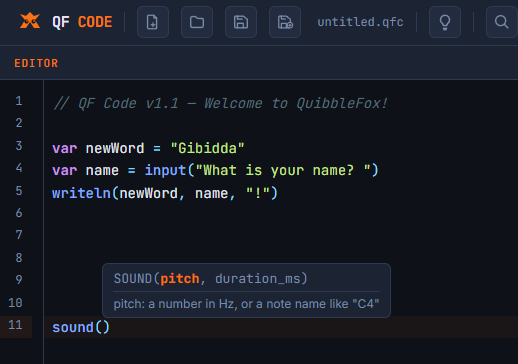
Underneath the Syntax is deliberately language-neutral. The whole point is fundamentals that outlast any one language's syntax. This page does the opposite on purpose: it takes ideas from the book and runs them, using QF Code, the browser-based language built around that same philosophy.
This page walks through all 26 chapters. Use Run in QF Code beside each snippet to open it in the browser editor and execute it. You can also copy the code directly. Then work through Now You Try before moving on.
Not every chapter has a natural line of runnable code. QF Code doesn't have classes or closures yet, and a handful of other chapters bump into real limits of the language too. Where that's the case, this page says so directly and gives you something to think through instead of a snippet to run.
A few QF Code specifics worth knowing before you dive in: QF Code has one number type, with no separate integer/float split. Keywords are case-insensitive. Every block closes with an explicit END (END IF, END WHILE, END FUNCTION, and so on). If something in these snippets looks unfamiliar, that's expected. The book taught you the concept. This is your first taste of one language's specific vocabulary for it.
Chapter 01
A Brief History of Programming
Concept chapter
There's no snippet for this one. But every program on this page is proof of the chapter's own point: QF Code is a 2020s language that still runs on the same fundamentals FORTRAN and COBOL used in the 1950s. Before you move on, look back at any snippet further down this page and ask yourself which parts of it would have made just as much sense written in 1975.
Chapter 02
What a Program Actually Is
Try It
WRITELN("Step 1")
WRITELN("Step 2")
WRITELN("Step 3")
Now You Try
Before running it, predict the order these three lines print in. Then reorder the lines and predict again. QF Code, like every language in the book, runs top to bottom unless something tells it to do otherwise.
Chapter 03
Input & Output Basics
Try It
VAR name = INPUT("What's your name? ")
WRITELN("Hello, " + name + "!")
Now You Try
Add a second INPUT() call asking for a favorite color, and combine both answers into one sentence.
Chapter 04
Variables & Types
Try It
VAR age = 34
VAR name = "Bob"
VAR isEmployed = TRUE

WRITELN(name + " is " + age + " years old.")
WRITELN("Employed: " + isEmployed)

CONST MAX_SCORE = 100
WRITELN("Max score is " + MAX_SCORE)
Now You Try
Add a new variable for your favorite hobby, and print a sentence using it. Then try adding this line at the end:
MAX_SCORE = 999
Run it and read the error message. That's Chapter 4's constant-protection promise, enforced for real.
Chapter 05
Operators & Expressions
Try It
VAR a = 17
VAR b = 5

WRITELN(a + b)
WRITELN(a - b)
WRITELN(a * b)
WRITELN(a / b)
WRITELN(a // b)
WRITELN(a % b)
Now You Try
Before running it, predict what a // b and a % b will print. // is QF Code's integer-division operator, the same idea Chapter 5 covered. One QF Code specific worth knowing: // is also how comments start, and the language tells the two apart from context. Try adding a comment right after an integer-division expression on the same line and see whether QF Code reads it as division or as a comment.
Chapter 06
Conditional Logic
Try It
VAR grade = 87

IF grade >= 90 THEN
    WRITELN("A")
ELSE IF grade >= 80 THEN
    WRITELN("B")
ELSE IF grade >= 70 THEN
    WRITELN("C")
ELSE
    WRITELN("Below a C")
END IF
QF Code also has MATCH, which handles the same grading logic with inclusive ranges instead of a chain of comparisons:
MATCH grade
    WHEN 90 TO 100
        WRITELN("A")
    WHEN 80 TO 89
        WRITELN("B")
    WHEN 70 TO 79
        WRITELN("C")
    WHEN ELSE
        WRITELN("Below a C")
END MATCH
Now You Try
Before running either version, predict what changing grade to 95 will print. Then change it, run both versions, and confirm you were right. Add a WHEN clause (or ELSE IF) for a failing grade below 60.
Chapter 07
Loops & Iteration
Try It
VAR count = 1
WHILE count <= 5
    WRITELN(count)
    count = count + 1
END WHILE

FOR i = 1 TO 5
    WRITELN(i)
END FOR
Now You Try
Rewrite the FOR loop to print only odd numbers from 1 to 9, using STEP 2. Then add a BREAK to the WHILE loop that stops as soon as count reaches 3, and confirm it really does stop early.
Chapter 08
Arrays & Collections
Try It
VAR scores = [90, 85, 78]
WRITELN(scores[0])

APPEND(scores, 100)

FOR EACH score IN scores
    WRITELN(score)
END FOR
Now You Try
Add SORT(scores) before the loop and predict the new order before running it. Then try REVERSE(scores) instead, and compare.
Chapter 09
Strings, Deep Dive
Try It
VAR name = "Bob"
WRITELN(name[0])
WRITELN(LENGTH(name))
WRITELN(UPPER(name))
WRITELN(name + " Johnson")
Now You Try
Add this line and run it:
name[0] = "T"
Read the error. This is Chapter 9's immutability lesson, not as an abstract rule this time, but as a real message QF Code gives you the moment you try to break it.
Chapter 10
Functions
Try It
FUNCTION Double(value)
    RETURN value * 2
END FUNCTION

WRITELN(Double(5))
Now You Try
Write a function Larger(a, b) that takes two numbers and returns whichever one is bigger. Call it a few times to confirm it works both ways around.
Chapter 11
Error Handling
Try It
FUNCTION SafeDivide(a, b)
    ATTEMPT
        RETURN a / b
    ERROR message
        WRITELN("Problem: " + message)
        RETURN EMPTY
    END ATTEMPT
END FUNCTION

WRITELN(SafeDivide(10, 2))
WRITELN(SafeDivide(10, 0))
QF Code's ATTEMPT and ERROR are the same idea as try and catch from the book, just with QF Code's own vocabulary for it.
Now You Try
Write a function CheckAge(age) that uses SIGNAL("Age cannot be negative") to raise your own error when age is less than 0. Call it from inside an ATTEMPT / ERROR block and print the message you get back. This is the same distinction Chapter 25 draws: reach for this machinery for something genuinely unpredictable, not for an ordinary expected outcome.
Chapter 12
Under the Hood, Binary & Representation
QF Code doesn't expose bitwise operators the way some languages do; AND, OR, XOR, and NOT here only work on booleans (or plain 0 and 1), not on the individual bits of an arbitrary number. But you can still watch binary representation happen directly, by building the conversion yourself.
Try It
FUNCTION ToBinary(n)
    VAR result = ""
    VAR remaining = n

    IF remaining == 0 THEN
        RETURN "0"
    END IF

    WHILE remaining > 0
        result = STR(remaining % 2) + result
        remaining = remaining // 2
    END WHILE

    RETURN result
END FUNCTION

WRITELN(ToBinary(11))
Now You Try
Run ToBinary(255). Count the digits in the result. That's the same place-value math from Chapter 12, just written out as a loop instead of a diagram.
Chapter 13
Value Types, Reference Types & Typing Systems
Try It
VAR a = 5
VAR b = a
b = 10
WRITELN(a)

VAR list1 = [1, 2, 3]
VAR list2 = list1
APPEND(list2, 4)
WRITELN(list1)
Now You Try
Predict what the second WRITELN will print before you run it. QF Code is dynamically typed throughout, so there's no static-typing version of this language to compare it against directly. That contrast is one you'll only see by trying a statically typed language for yourself, exactly the kind of thing Chapter 26 points you toward next.
Chapter 14
Scope & Lifetime
Try It
VAR total = 0

FUNCTION AddToTotal(amount)
    total = total + amount
END FUNCTION

AddToTotal(5)
AddToTotal(10)
WRITELN(total)
Now You Try
Here's a genuine QF Code quirk worth seeing for yourself. Unlike many languages, an IF, WHILE, or FOR block in QF Code does not create its own scope. Try this:
IF TRUE THEN
    VAR insideIf = "I'm still here"
END IF
WRITELN(insideIf)
That variable survives past END IF. In a language with block scope, this would be an error. Here, it isn't.
Chapter 15
Recursion
Try It
FUNCTION Factorial(n)
    IF n <= 1 THEN
        RETURN 1
    END IF
    RETURN n * Factorial(n - 1)
END FUNCTION

WRITELN(Factorial(5))
Now You Try
Try Factorial(600). QF Code limits nested function-call depth to 500, so you should hit a real, live stack overflow, the same failure mode Chapter 14 and Chapter 15 described in the abstract. What does the error actually say?
Chapter 16
Maps, Sets & Nested Collections
QF Code doesn't have a native map or set type yet (MAP and SET are reserved keywords, saved for a future version). This is a genuinely useful thing to run into directly, because it's exactly the situation Chapter 16 describes: a language without a key-value collection, solved with a pair of parallel arrays instead.
Try It
VAR names = ["Bob", "Nancy", "Sam"]
VAR ages = [34, 32, 29]

FUNCTION FindAge(target)
    FOR i = 0 TO LENGTH(names) - 1
        IF names[i] == target THEN
            RETURN ages[i]
        END IF
    END FOR
    RETURN -1
END FUNCTION

WRITELN(FindAge("Nancy"))
Now You Try
Rewrite FindAge using one array of two-item arrays, [["Bob", 34], ["Nancy", 32], ["Sam", 29]], instead of two parallel arrays. That's the same workaround Chapter 25's capstone uses for tasks, applied here to something closer to Chapter 16's own map example.
Chapter 17
Pointers & References
QF Code doesn't expose raw memory addresses or pointer syntax. The closest thing it gives you to see is the same array-aliasing behavior Chapter 13 introduced.
Try It
VAR original = [1, 2, 3]
VAR alias = original
alias[0] = 99
WRITELN(original)
Now You Try
original changed even though the code never touched it directly. Draw this out the way Chapter 17 did: two names, original and alias, both pointing at the same single array. That diagram is the real content of this chapter; QF Code just gives you a live example to check it against.
Chapter 18
Closures & Anonymous Functions
QF Code 1.1 limitation
QF Code doesn't implement closures in version 1.1. Every function's local environment is chained directly to the global environment, not to whatever called it, so there's no way for a QF Code function to capture and remember a variable from its surrounding scope the way Chapter 18 describes. There's nothing to try here yet. If a future version of QF Code adds this, it'll be worth returning to.
Chapter 19
Generics & Templates
QF Code has no generic syntax like <T>, but dynamic typing gets you almost all the way to the same result Chapter 19 describes, without needing special syntax to ask for it.
Try It
FUNCTION First(items)
    RETURN items[0]
END FUNCTION

WRITELN(First([1, 2, 3]))
WRITELN(First(["a", "b", "c"]))
Now You Try
First never mentions a type anywhere, and it already works on both an array of numbers and an array of strings. That's the same outcome Chapter 19's first<T> was written to guarantee, arrived at here simply because QF Code doesn't check types until a value is actually used.
Chapter 20
Objects, Classes & Structures
QF Code 1.1 limitation
QF Code doesn't have classes yet (CLASS, OBJECT, and THIS are all reserved for a future version). Chapter 25's capstone shows the real, working alternative: representing a small record as a plain array. There's no separate exercise here beyond that one, since it's the same workaround either way.
Chapter 21
How Code Becomes Execution
Concept chapter
Every snippet on this page has already demonstrated this chapter, just not directly. QF Code runs in your browser with no separate compile step: you write source code, and the interpreter reads and executes it line by line, exactly the model Chapter 21 describes.
Now You Try
Take a moment before moving on. Somewhere underneath the QF Code editor, JavaScript is doing the actual interpreting. That's two languages stacked on top of each other just to run the small programs on this page, and it's completely invisible from where you're sitting. That invisibility is Chapter 21's whole point.
Chapter 22
Code Style & Readability
Try It
VAR x = 5
VAR y = 10

FUNCTION f(a, b)
    RETURN a + b
END FUNCTION

WRITELN(f(x, y))
VAR firstScore = 5
VAR secondScore = 10

FUNCTION CombineScores(scoreA, scoreB)
    RETURN scoreA + scoreB
END FUNCTION

WRITELN(CombineScores(firstScore, secondScore))
Now You Try
Run both. They print the same result. Now cover up the second version and try to explain, from memory, what the first one does. That gap is Chapter 22's entire argument.
Chapter 23
Modules & Imports
QF Code 1.1 limitation
QF Code doesn't have an import or module system yet (IMPORT, EXPORT, and MODULE are reserved for a future version). Every program on this page has to live in one file, functions and all.
Now You Try
Pick any of the longer programs on this page, the task list from Chapter 25 is a good candidate, and decide how you'd split it into separate files if QF Code let you. What would go where, and why?
Chapter 24
A Gentle Taste of Algorithmic Thinking
Try It
FUNCTION BinarySearch(sortedNumbers, target)
    VAR low = 0
    VAR high = LENGTH(sortedNumbers) - 1

    WHILE low <= high
        VAR middle = FLOOR((low + high) / 2)
        IF sortedNumbers[middle] == target THEN
            RETURN TRUE
        ELSE IF sortedNumbers[middle] < target THEN
            low = middle + 1
        ELSE
            high = middle - 1
        END IF
    END WHILE

    RETURN FALSE
END FUNCTION

VAR numbers = [2, 5, 8, 12, 16, 23, 38, 56, 72, 91]
WRITELN(BinarySearch(numbers, 23))
WRITELN(BinarySearch(numbers, 24))
Now You Try
Add a counter variable that increments every time through the WHILE loop, and print it at the end. Run a search on this 10-item array, then build a 1,000-item sorted array and search that instead. The comparison count barely moves. That's O(log n), made visible.
Chapter 25
Putting It Together, in QF Code
The book's capstone task list, translated for real. One honest note first: QF Code doesn't have classes yet, so instead of a Task object, this version represents each task as a small two-item array: [title, isComplete]. That's a real, common workaround in languages without objects, and it's worth noticing on its own: a small collision between Chapter 8 and Chapter 20.
Try It
VAR tasks = ARRAY()

FUNCTION AddTask(title)
    VAR task = [title, FALSE]
    APPEND(tasks, task)
    WRITELN("Added: " + title)
END FUNCTION

FUNCTION CompleteTaskOrWarn(title)
    FOR i = 0 TO LENGTH(tasks) - 1
        IF tasks[i][0] == title THEN
            tasks[i][1] = TRUE
            WRITELN("Marked complete: " + title)
            RETURN
        END IF
    END FOR
    WRITELN("No task found with that title.")
END FUNCTION

FUNCTION Summarize()
    VAR completed = 0
    FOR EACH task IN tasks
        IF task[1] THEN
            completed = completed + 1
        END IF
    END FOR
    WRITELN(completed + " of " + LENGTH(tasks) + " tasks complete.")
    FOR EACH task IN tasks
        VAR status = "pending"
        IF task[1] THEN
            status = "done"
        END IF
        WRITELN("- " + task[0] + " (" + status + ")")
    END FOR
END FUNCTION

AddTask("Draft chapter outline")
AddTask("Write chapter 1")
AddTask("Review with editor")

CompleteTaskOrWarn("Write chapter 1")
CompleteTaskOrWarn("This task does not exist")

Summarize()
Now You Try
Add a RemoveTask(title) function using REMOVE(). Then add a way to print only the incomplete tasks. Both extensions use only what's already in this program: arrays, loops, conditionals, and functions. That's Chapter 25's point. Real software is built from a small set of fundamentals, combined deliberately.
Chapter 26
A Tour of the Languages
Concept chapter
There's no new QF Code here. Instead, take the grading example from Chapter 6, back near the top of this page, and try writing the same logic in one other language: Python, JavaScript, whatever you have access to. Keep the numbers and the outcome identical.
Now You Try
Compare what changed against what stayed the same. The punctuation will look nothing alike. The decision the code is making will be identical. That's the entire book, confirmed in your own hands rather than read on a page.
After the exercises
Where This Goes Next
Twenty-six chapters, one language, a few honest gaps where QF Code isn't there yet. If you want the same exercises in a language outside QF Code entirely, that's where QuibbleFox picks up.
The punctuation here was new. If you've made it this far, the ideas underneath it clearly weren't.
© 2026 Edison Mooers. QF Code is a trademark of Edison Mooers. This page is a free companion to Underneath the Syntax: A Primer on Programming Fundamentals.